PCB design in the browser

From idea to a board you can order.

Draw the schematic, lay out the board and download the files your PCB maker needs. An AI assistant helps along the way: it suggests, you decide. Nothing to install.

Start freeSee how it works

Free plan, no credit card.

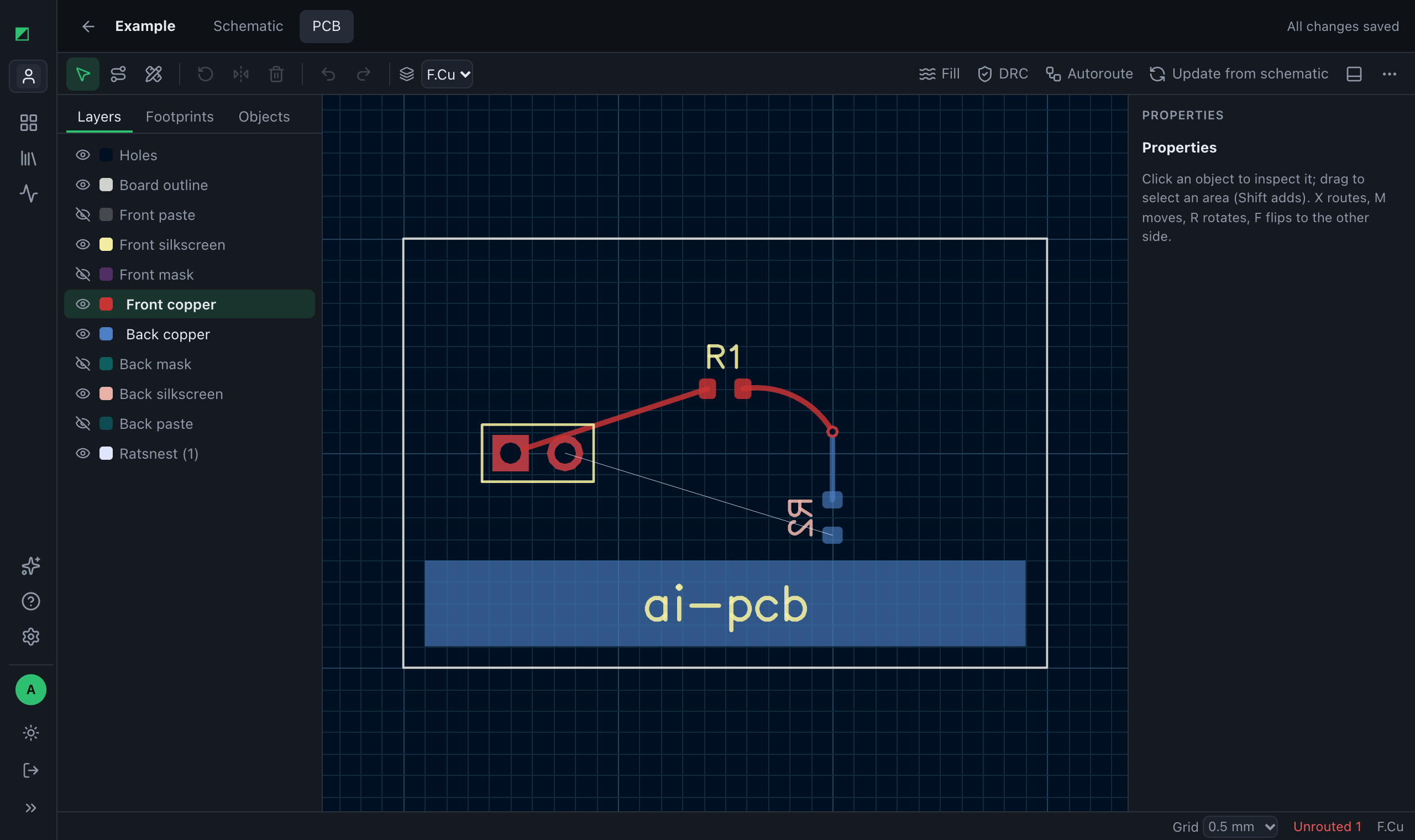
The board editor of pcbmate, with a board, its tracks and the layers panel

How it works

Three steps, all in the same tab.

  1. Draw the schematic

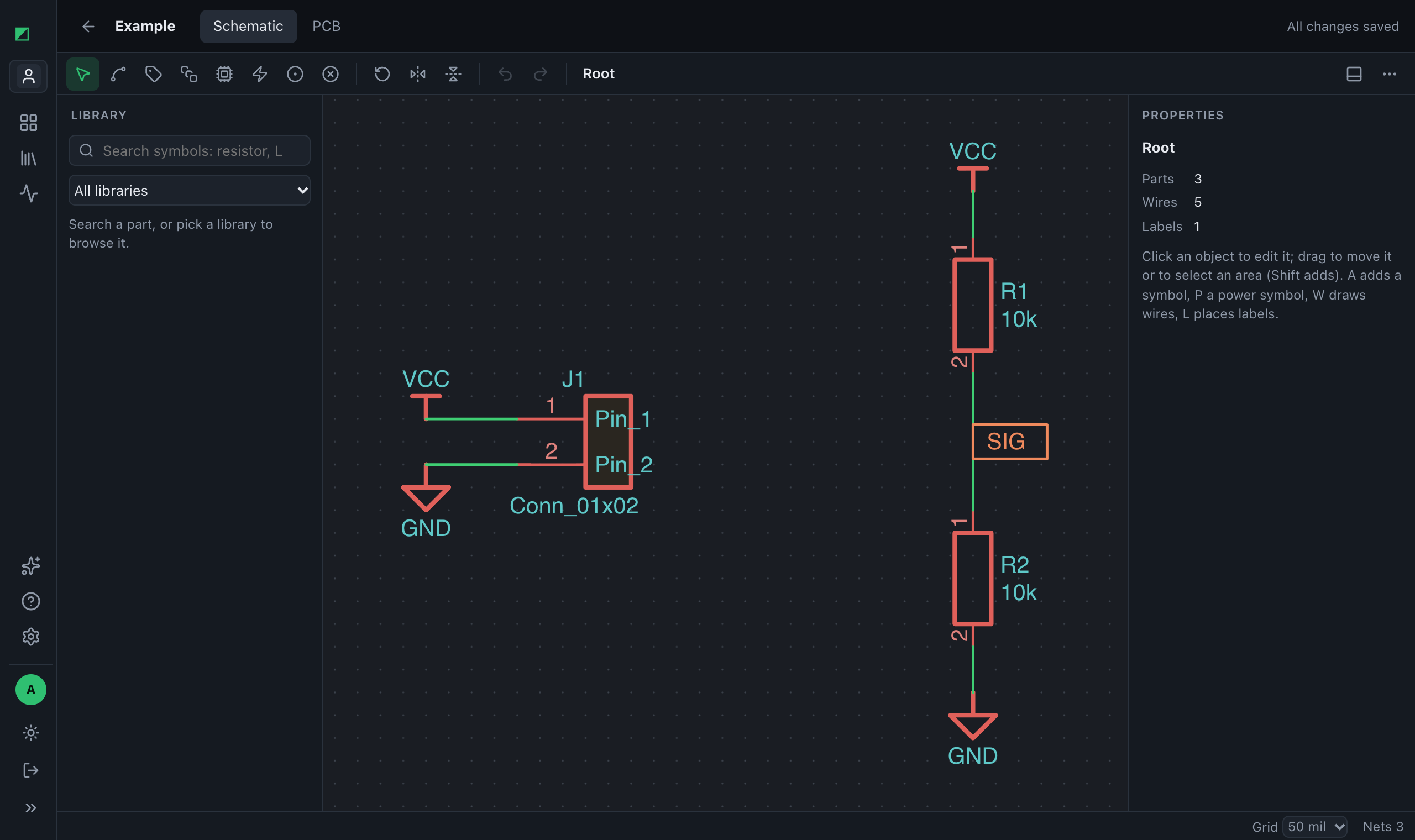
    Pick parts from the KiCad libraries, wire them up and check the circuit with a SPICE simulation before you build anything.

  2. Lay out the board

    Place the footprints, route the tracks by hand or let the autorouter do it, and run the design rule check.

  3. Order it

    Download the Gerber and drill files and upload them to your PCB maker. Your KiCad and Eagle projects come and go too.

The schematic editor of pcbmate, with a voltage divider and its connector

An assistant that speaks electronics

Ask in plain words. It reads your datasheets, adds parts and wiring, draws footprints and checks the circuit. Every change is shown before it happens.

  • Proposes changes: nothing moves until you click Apply
  • One click undoes everything it did
  • Searches your datasheets and the libraries
  • Simulates the circuit to check its answer

The assistant uses your own Anthropic API key: you pay Anthropic directly, at their price. Everything else works without it.

Example conversation
You

Add 10 kΩ pull-ups on SDA and SCL to 3V3.

Assistant

I will add two 10 kΩ resistors in 0603 between the I²C lines and 3V3:

  • +R3 · 10 kΩ · SDA → 3V3
  • +R4 · 10 kΩ · SCL → 3V3

ApplyDiscard

Works with the tools you already use

  • KiCadBoards, schematics and libraries, in and out
  • EagleBoards and schematics, in and out
  • Gerber X2With Excellon drill files, for any PCB maker
  • SPICESimulation of the circuit with ngspice

Simple pricing

Start free. Upgrade when your boards grow.

Free

€0forever

Start free
  • 5 projects
  • Up to 2 copper layers
  • Gerber export
  • AI assistant with your Anthropic key
Everything in the plan
  • 5 projects
  • 200 MB for projects and datasheets
  • Up to 2 copper layers
  • 5 libraries, 2,000 footprints and symbols
  • Gerber export
  • AI assistant with your Anthropic key

Team

€24.99 a monthbilled €299.88 a year

€29.99 a monthbilled monthly

Get started
  • 1,000 projects
  • Up to 10 members, one price
  • 1,000 minutes of autorouting and simulation a month, 10 per run
  • KiCad and Eagle import and export
Everything in the plan
  • 1,000 projects
  • 10 GB for projects and datasheets
  • 1,000 minutes of autorouting and simulation a month, 10 per run
  • Up to 10 members, one price
  • Up to 16 copper layers
  • 200 libraries, 200,000 footprints and symbols
  • Gerber export
  • KiCad import and export
  • Eagle import and export
  • Autorouter
  • SPICE simulation
  • AI assistant with your Anthropic key

Prices include VAT. Cancel at any time.

Questions

Do I need to install anything?

No. pcbmate runs in your browser on a computer. On a phone you can open and look at your projects.

Can autorouting and simulation run on my own computers?

Yes, with the Maker and Team plans: install pcbmate-worker on Windows, macOS or Linux and your jobs run there, without using the plan's minutes.

Do I need an AI subscription?

Only for the assistant: add your Anthropic API key in the settings and you pay Anthropic for what you use. Schematic, board, autorouter and exports work without it.

Can I bring my KiCad or Eagle projects?

Yes, with the Maker and Team plans: boards and schematics come in and go out, so you are never locked in.

Which PCB makers can I use?

Any maker that accepts Gerber and Excellon drill files, which is nearly all of them.

Where are my designs kept?

On our servers, with a backup every day. Your projects are visible only to you and the members of your organization.
Your next board starts here.

Start free

Talk to us

A question, a board that does not import, a feature you miss: write to us and we answer by email.